
How to use Skydrel App in IOS devices?
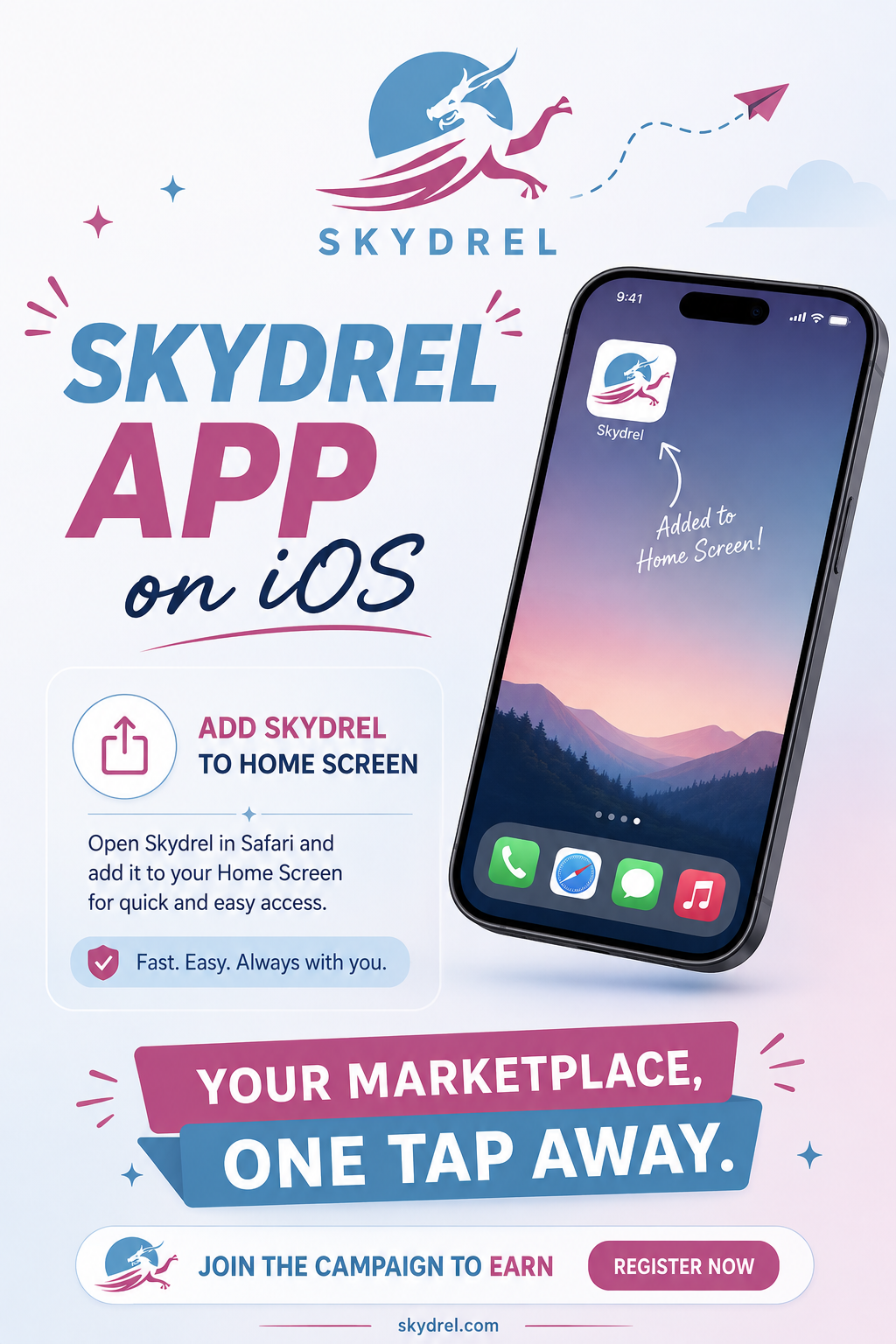
Skydrel can be accessed quickly like a mobile application by adding it to your phone’s home screen. Once added, users can open Skydrel directly from their device without manually searching for the website every time.
Website: https://skydrel.nattoint.com
Adding Skydrel on iPhone or iPad Using Safari
For iPhone and iPad users, Skydrel can be added to the home screen through the Safari browser. Follow these simple steps:
- Open the Safari browser on your iPhone or iPad.
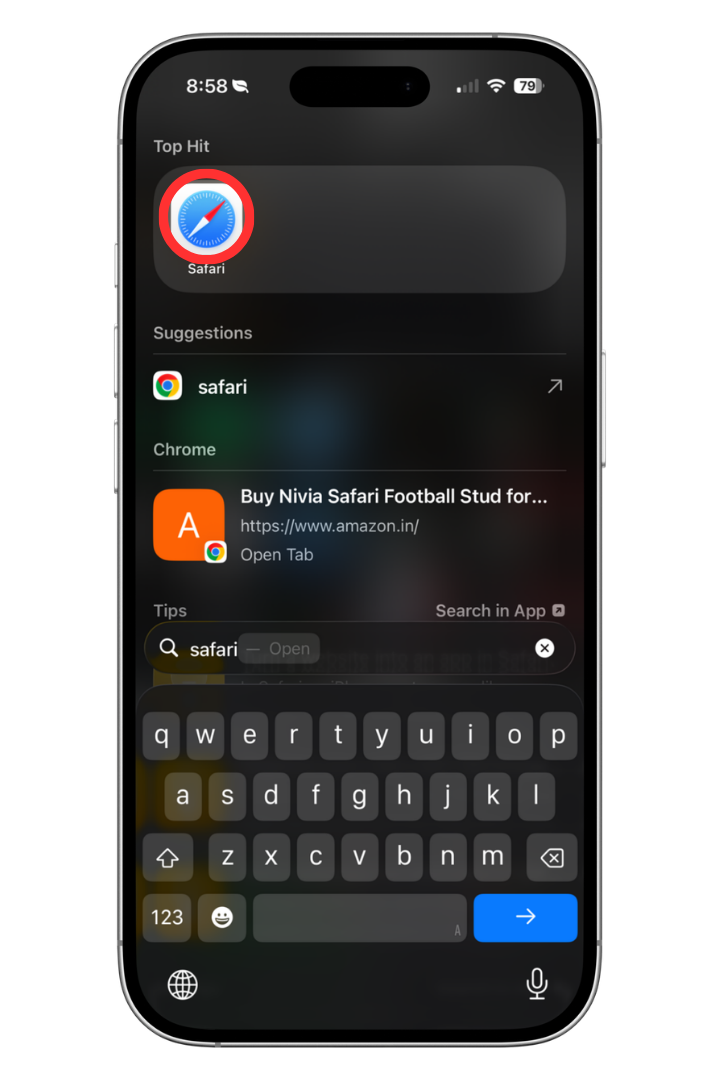
- Enter the Skydrel website address:https://skydrel.nattoint.com
- Allow the website to load completely.
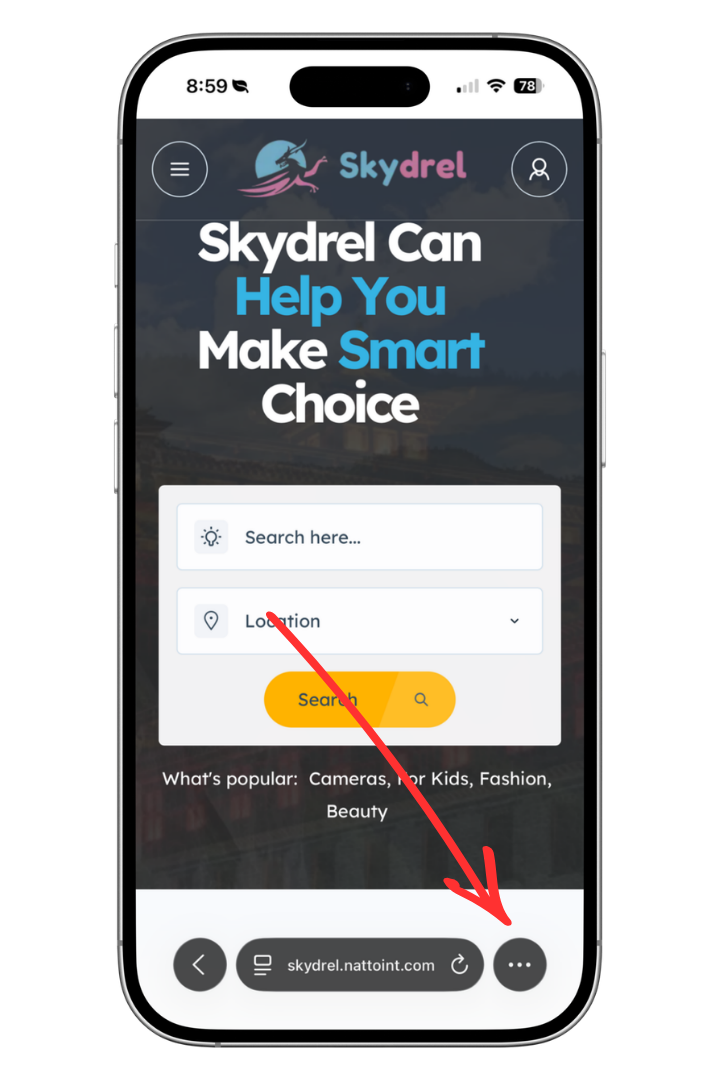
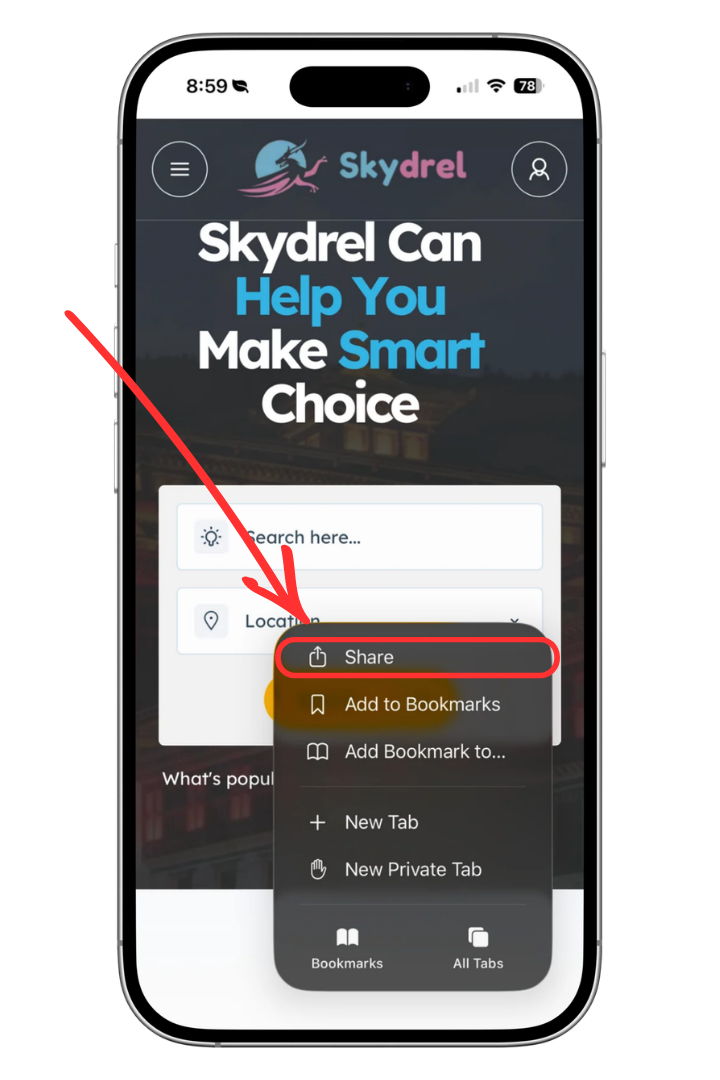
- Tap the Share icon located at the bottom of the Safari browser. The icon appears as a square with an upward arrow.
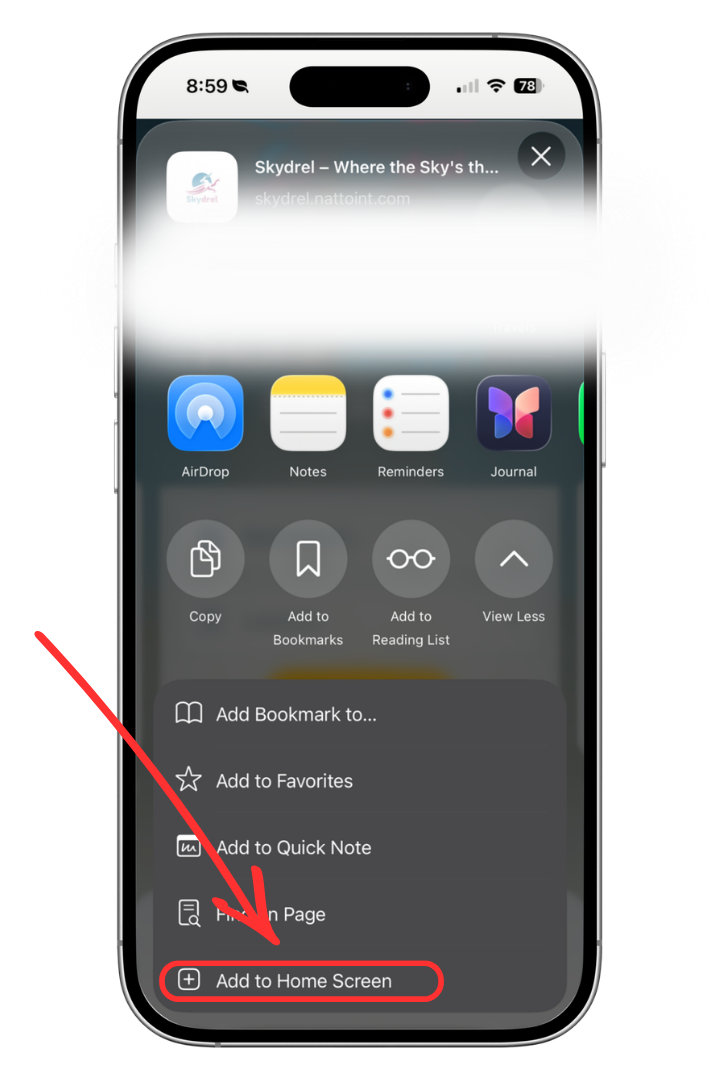
- Click on view more and scroll through the available options and select “Add to Home Screen.”
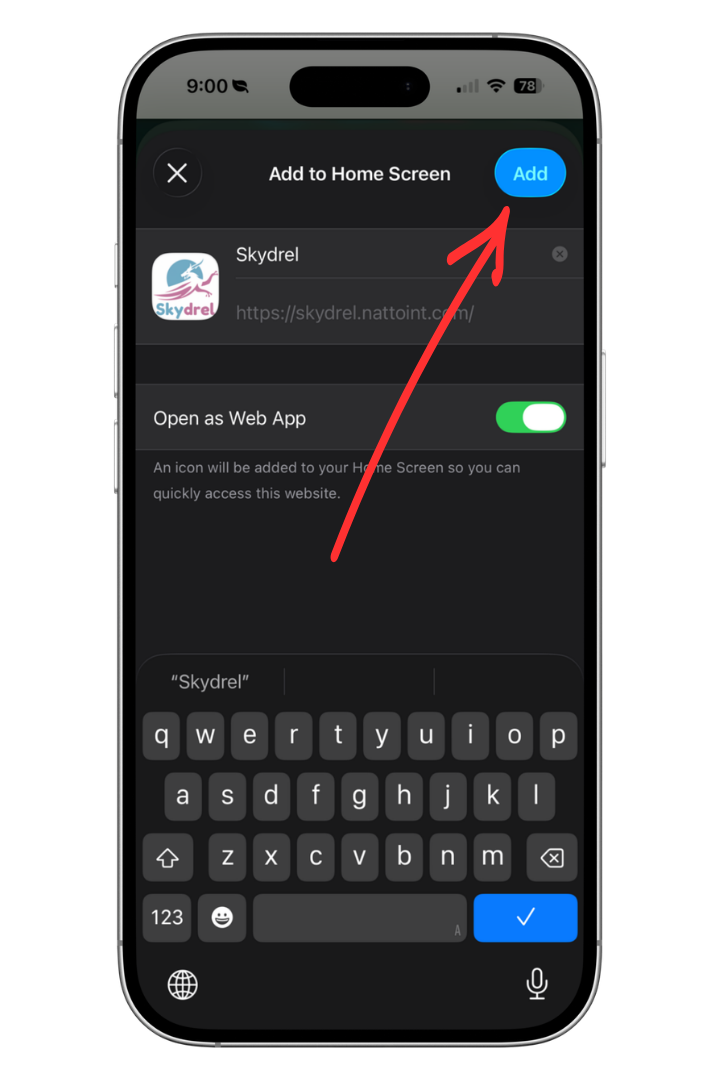
- A new window will appear showing the app name and website details.
- You can change the name if required or keep it as Skydrel.
- Tap “Add” to complete the process.
After completing these steps, the Skydrel icon will appear on your device’s home screen. You can now open Skydrel anytime by simply tapping the icon, just like a regular mobile application.
Benefits of Adding Skydrel to Your Home Screen
Adding Skydrel to your home screen provides a faster and more convenient experience. Users can:
- Access Skydrel with one tap.
- Save time by avoiding repeated browser searches.
- Use Skydrel with an app-like experience.
- Keep Skydrel easily available alongside other mobile applications.
Start Using Skydrel Today
Make your experience smoother by adding Skydrel to your home screen. Simply open https://skydrel.nattoint.com, follow the steps above, and enjoy quicker access to Skydrel anytime, anywhere.